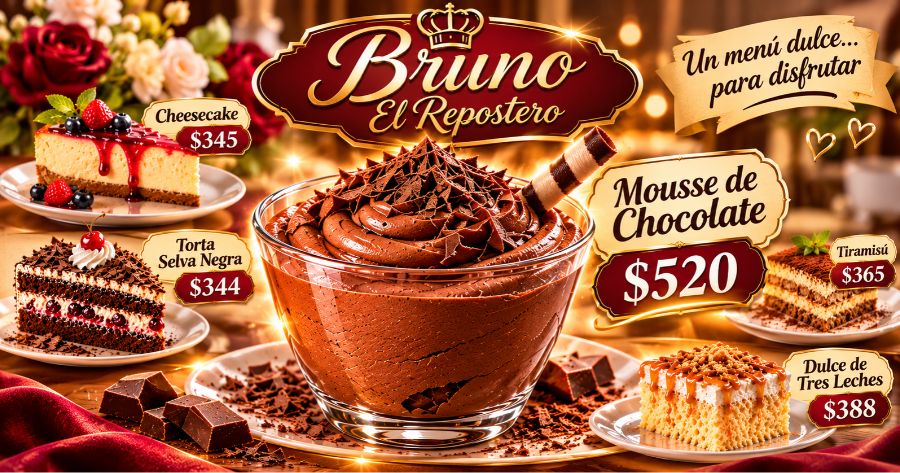
MENU POSTRES 3D
📚 ¿CÓMO USAR ESTE PROMPT?
✨ ¡Es muy fácil! No necesitás saber programación ni tener conocimientos de Inteligencia Artificial.
📝 PASO 1
Copiá todo el PROMPT que te compartimos.
🤖 PASO 2
Abrí ChatGPT. 💬
👉 Abrí Google Flow , Luego Dirigete a la opcion de Creacion de Videos, escoje la Opcion de Omni Flash 1.2 - Adjunta la imagen de tu Menu dentro del cuadro de dialogo y despues pega el prompt para que se pueda generar el video. 👉 Preferentemente recomendamos utilizar Google Flow, ya que está especialmente indicado para seguir instrucciones extensas y crear este tipo de recursos educativos.💬.
📋 PASO 3
Pegá el PROMPT completo en el chat y enviá el mensaje.
🎨 PASO 4
La Inteligencia Artificial se encargará de generar EL VIDEO, respetando las actividades, textos, diseño y características indicadas en el prompt.
💡 IMPORTANTE
No es necesario modificar el prompt. Copiá, pegá y probá.
Si el resultado necesita algún pequeño ajuste, simplemente podés pedirle a la IA que lo corrija.
🌟 ¡Así de fácil podés crear tu CONTENIDO!
### RANDOM PRODUCT SELECTION + 3D TEXT POP-OUT ANIMATION

The camera must randomly select products from BOTH menu pages, alternating unpredictably between the first and second page.

Do not follow the original reading order. Choose different products randomly, ensuring that every product is featured at least once before repeating any product.

**IMPORTANT: THE PRODUCT AND ITS NAME MUST EMERGE TOGETHER.**

When a product is selected:

1. The original food photograph rises from the printed menu and transforms into a realistic three-dimensional food object.
2. Simultaneously, the exact printed product name emerges from its original position on the menu, becoming an elegant floating 3D typography element.
3. The product name must remain clearly readable, preserving its original spelling, capitalization and wording.
4. Position the floating name elegantly beside or slightly above the corresponding food item, keeping both visually connected.
5. Give the lettering subtle dimensional depth, refined shadows and a premium golden or dark-brown finish consistent with the original menu typography.
6. The food and its corresponding name float together briefly as one coordinated visual presentation.
7. Both elements smoothly return to their exact original positions on the menu before the next random selection.

**STRICT RULES:**
- Never invent, rewrite or misspell product names.
- Never display a name belonging to a different food item.
- Never separate the product from its corresponding name.
- Never modify prices or other printed menu information.
- Keep the original menu design intact.
- Randomize the selection order, not the product identity.
- Every product from both pages must receive its own presentation before any repetition.